
This article refers to the password that is used to log in to the Horizon app on a mobile phone or on a desktop computer.
Log in to the Horizon platform at https://www.unlimitedhorizon.co.uk/webapp/signin
Note that you must be logged in as an Administrator NOT a User.
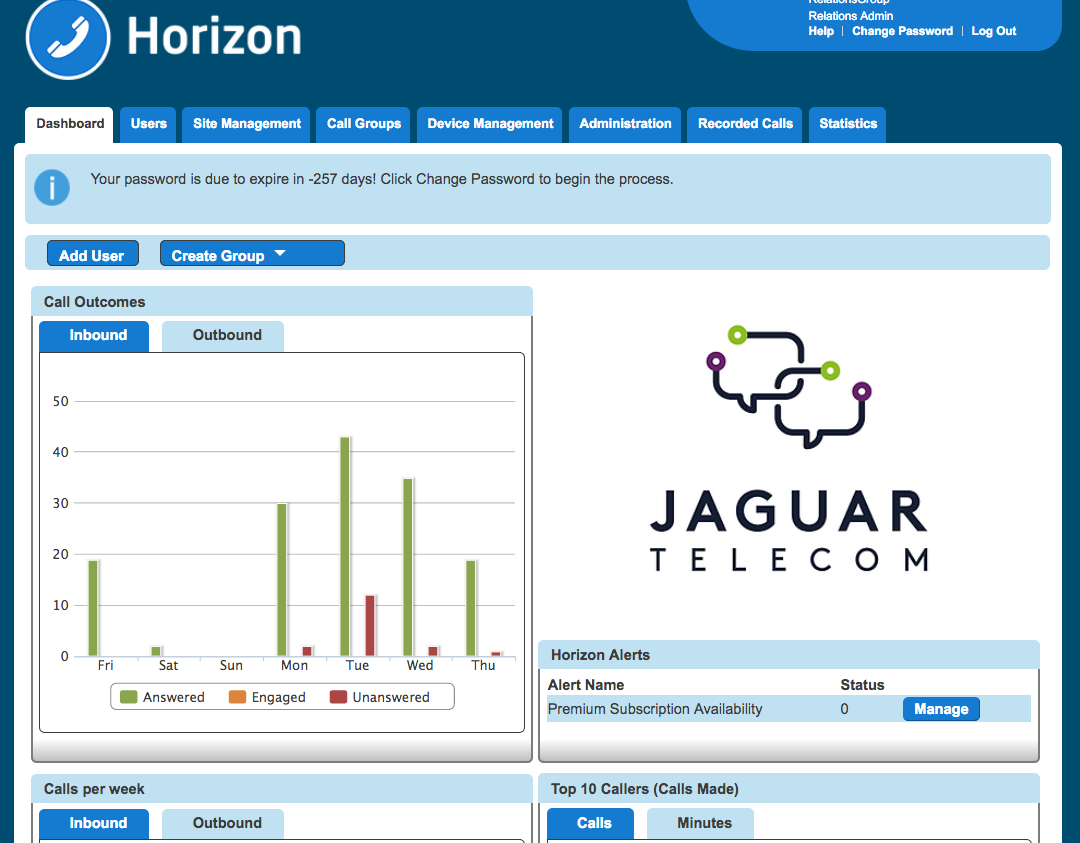
You will see a screen similar to the one below.
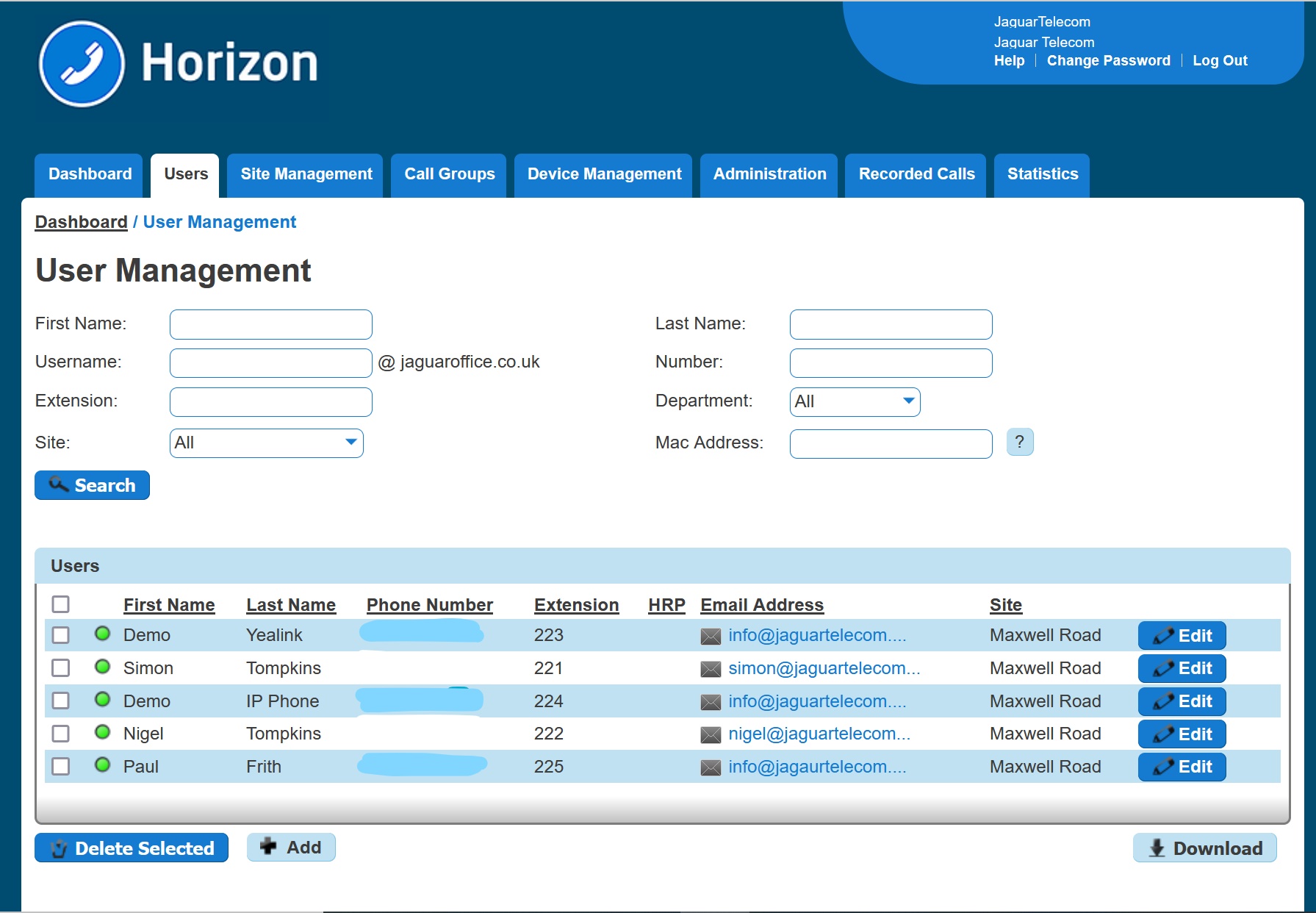
Hover over 'Users' and click 'List Users' and Click 'Edit' against the User whose password you wish to reset.
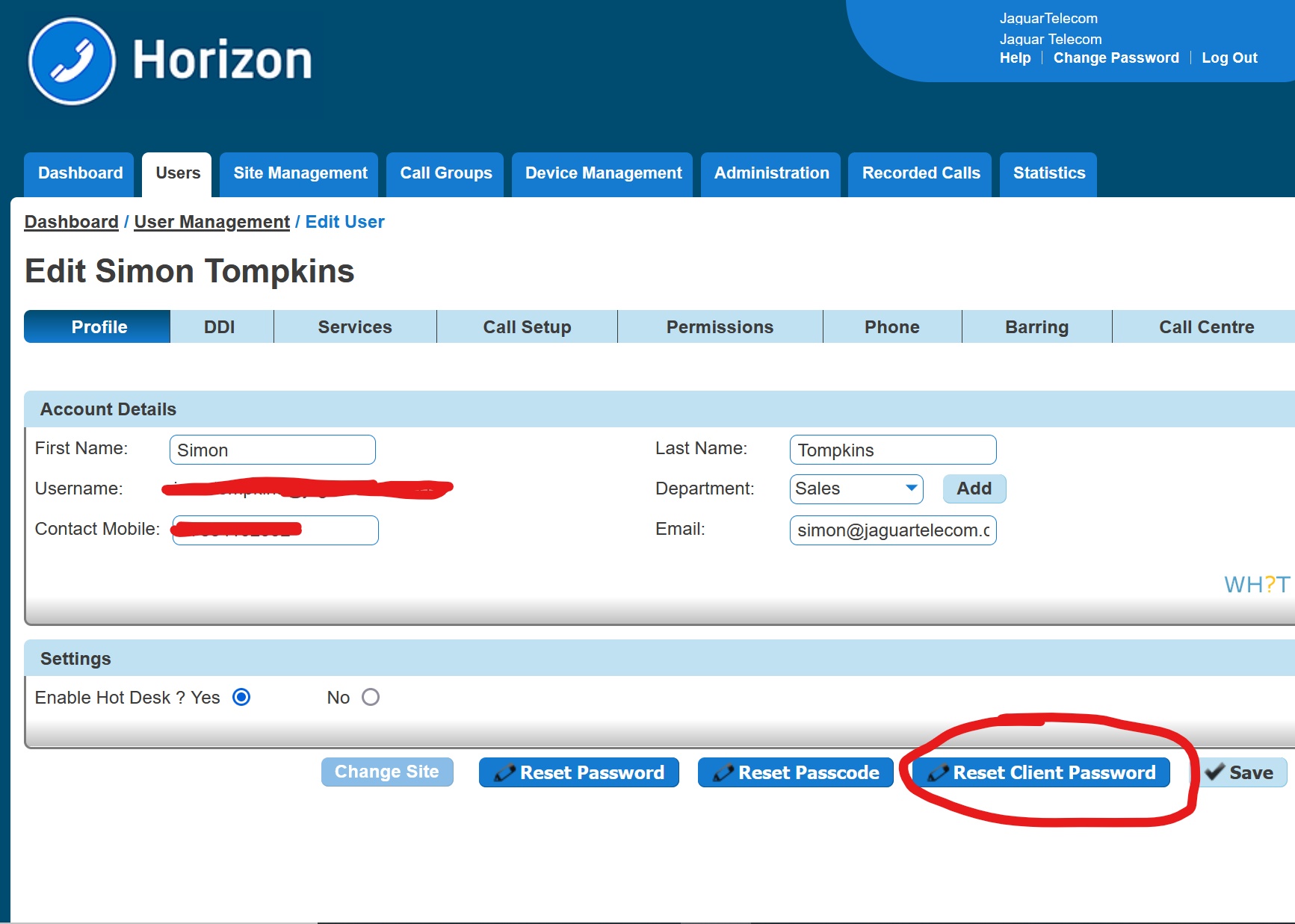
Click 'Reset Client Password' at the bottom of the screen. This will generate an email to the selected User giving them a new hexadecimal password to use.
Comments
0 comments
Please sign in to leave a comment.